UDN
Search public documentation:
PlayInEditor
日本語訳
中国翻译
한국어
Interested in the Unreal Engine?
Visit the Unreal Technology site.
Looking for jobs and company info?
Check out the Epic games site.
Questions about support via UDN?
Contact the UDN Staff
中国翻译
한국어
Interested in the Unreal Engine?
Visit the Unreal Technology site.
Looking for jobs and company info?
Check out the Epic games site.
Questions about support via UDN?
Contact the UDN Staff
UE3 Home > Unreal Editor and Tools > Play In Editor
Play In Editor
Overview
Play In Editor Window
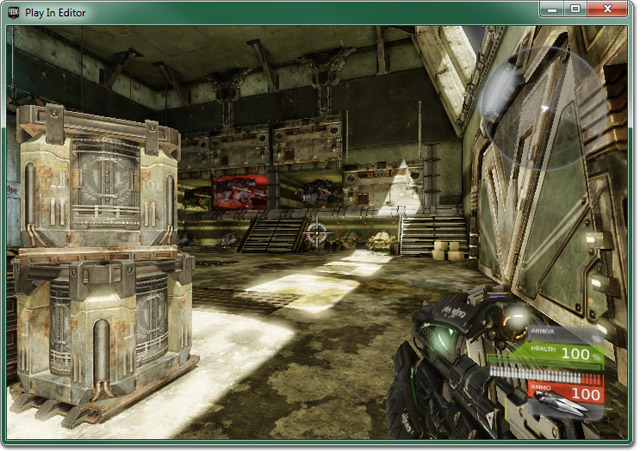 There are two ways to initiate this method of PIE:
- Select In Editor options from the Play menu of the level editor.
- Click on the
 button in the main editor tool bar.
?spectator to the PIE game's URL forcing the player to start in spectator mode.
Further, the string specified by the editor .ini setting, InEditorGameURLOptions, will be appended to the PIE game's URL.
Play In Editor Viewport
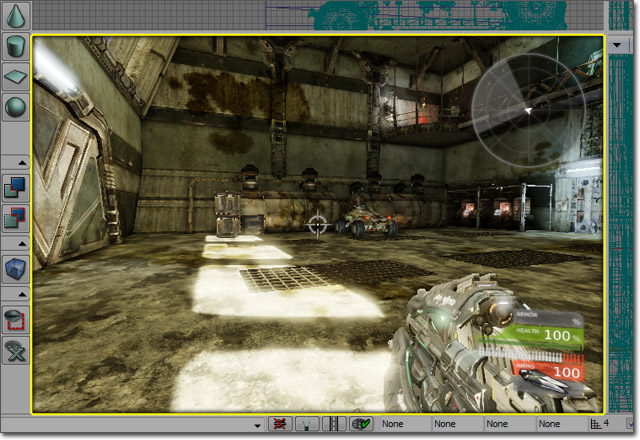 To initiate this method of PIE:
- Click on the
 button in the viewport tool bar.
?spectator to the PIE game's URL forcing the player to start in spectator mode.
Further, the string specified by the editor .ini setting, InEditorGameURLOptions, will be appended to the PIE game's URL.
Play From Here
- Right-click in a perspective view, and select Play Level > Play from Here in Viewport from the context menu.
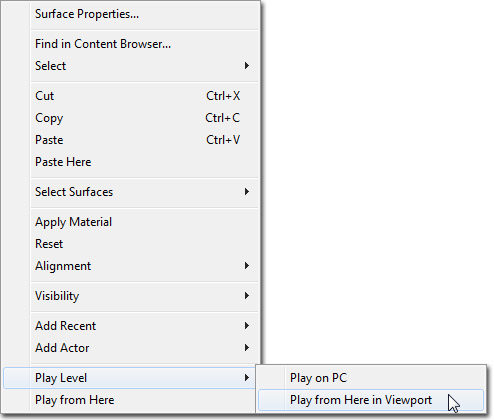
- Right-click in a perspective view, and select Play from Here from the context menu.
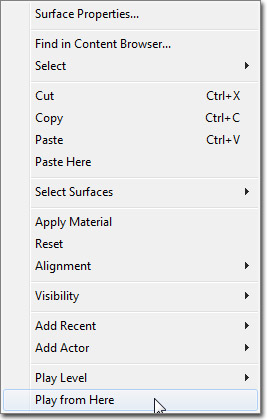 These methods of starting the PIE session will place a teleporter actor in the map at the location of the right-click and then pass the name of the teleporter to the PIE game. The default implementation of GameInfo will spawn the player at the location of the teleporter (again, your game type can override this behavior).
Holding Ctrl when initiating the PIE session will attach
These methods of starting the PIE session will place a teleporter actor in the map at the location of the right-click and then pass the name of the teleporter to the PIE game. The default implementation of GameInfo will spawn the player at the location of the teleporter (again, your game type can override this behavior).
Holding Ctrl when initiating the PIE session will attach ?spectator to the PIE game's URL forcing the player to start in spectator mode.
Further, the string specified by the editor .ini setting, InEditorGameURLOptions, will be appended to the PIE game's URL.
Using PIE
Dropping Notes
While in PIE you can drop Note Actors at your current location, to help you remember areas to work on back in the editor. You use thedn console command (for Drop Note), followed by the string you want to assign to the note.
For example:
dn fix lighting hereWill create a Note Actor with your player's current location and rotation, with the text fix lighting here.
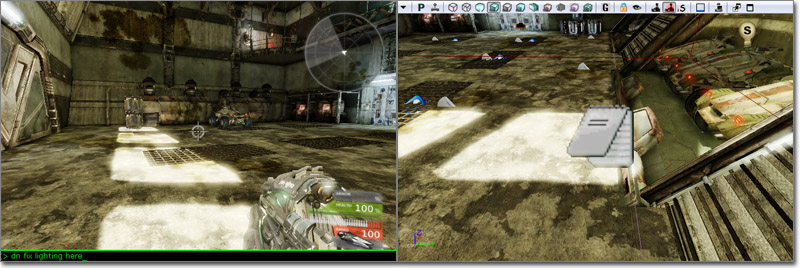
Ending PIE
When the user hits Escape in the PIE window (or typesquit in the PIE console), the PIE window will close.
PIE Vs. Standalone
Garbage collection
When GIsEditor is set, garbage collection uses the old Serialization based method, instead of the new realtime GC method. See the GarbageCollection document for more information on the differences.Async loading, level streaming
PIE does not handle level streaming. It loads all of the sublevels into memory. Texture streaming, however, is performed in PIE.Load flags
The load flags and functions (RF_LoadForClient, NeedsLoadForClient()), that specify to only load components and other objects in the editor, will act differently. Since GIsEditor is true, different components may be around in the PIE world than in a standalone world.Kismet
Kismet has a setting to disable links for PIE only.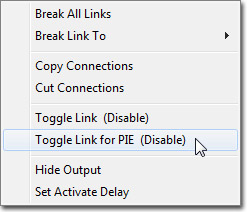 This was used in Gears of War to restrict teleporting the player to the level start (due to streaming between P maps in Gears, the PlayerStart actor wasn't really used for anything, and a teleport action was used). The teleport action would conflict with the Play From Here functionality, so the teleport action is disabled in PIE (orangle link color).