UDN
Search public documentation:
UDKContentCreationHome
日本語訳
中国翻译
한국어
Interested in the Unreal Engine?
Visit the Unreal Technology site.
Looking for jobs and company info?
Check out the Epic games site.
Questions about support via UDN?
Contact the UDN Staff
中国翻译
한국어
Interested in the Unreal Engine?
Visit the Unreal Technology site.
Looking for jobs and company info?
Check out the Epic games site.
Questions about support via UDN?
Contact the UDN Staff
UE3 Home > Content Creation Home
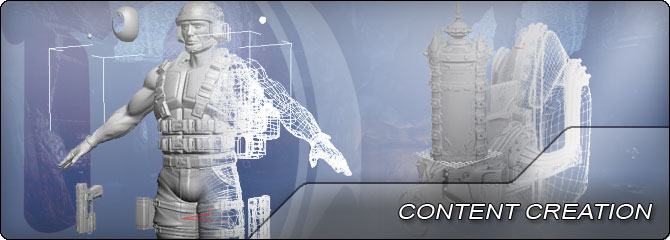 Documentation including references, guides, and tutorials covering the creation of art assets and other content such as static meshes, skeletal meshes, materials, etc. in Unreal Engine 3.
-
 General Information about developing games with Unreal Engine 3. Minimum Specs - Recommended Hardware - Recommended Software - Workflow - Frequently Asked Questions - Console Commands - Commandline Arguments - Confirguration Files - Blogs
 -
 First steps for asset creation, including environments, characters, materials, textures, and more. FBX Content Pipeline - Static Meshes - Skeletal Meshes - Physics Assets - Animations - Materials - Textures - Particles & Effects - Post Processes - Audio & Sound
- Unreal Editor and Tools - Guides to using level and content creation tools.
- Design Workflow - Rough detailing of Epic's internal design workflow.
- FBX Pipeline - Importing meshes, animations, and materials using the FBX format.
- Animator - Information for animating skeletal meshes in Unreal Engine 3.
- Character Artist - Creating skeletal meshes for characters in UE3.
- Environment Artist - Creating static meshes to populate environments.
- FX Artist - Information over creating special effects using particles.
- Technical Artist - Tool creation, materials, profiling & optimization, polish.
- Texture Artist - Guidelines for creating textures to be used in UE3.
- AI & Navigation - Information regarding using navigation systems to create AI.
- Animation - Information regarding using navigation systems to create AI.
- APEX Framework - Creating cloth and destruction effects using APEX.
- Audio Home - Overview of the audio system and using sounds in UE3.
- FaceFX - Creating facial animations for skeletal meshes in UE3.
- Lighting & Shadows - Working with lighting and shadows in Unrela Engine 3.
- Materials & Textures - Creating and using materials in Unreal Engine 3.
- Particles & Effects - Creating effects in UE3 with particles, decals, fog, and more.
- Performance, Profiling, & Optimization - Techniques for profiling games in Unreal Engine 3.
- Physics - Using PhysX and physical simulations in Unreal Engine 3.
- Post Process Effects - Applying whole scene effects in Unreal Engine 3.
- Rendering Subsystem - Overview of the rendering pipeline in Unreal Engine 3.
- Skeletal meshes - Creating and using animated skeletal meshes in UE3.
- Static Meshes - Creating and using static meshes in UE3.
- User Interface & HUD - Creating user interfaces such as menus and HUDs.
- DirectX 11 Features - DirectX 11 rendering features in Unreal Engine 3.
- Mobile Home - Developing games for mobile platforms using Unreal Engine 3.
- UDK Gems - A series of example-based tutorials over various topics.